New Q and A Tab in Google Business Profiles for Real Estate Agents: How it’s different than the old Q and A, and why it’s a new weekly best practice
First look at the new Q and A feature on Real Estate Agent Google Business Profiles
The Q and A section of Real Estate Agent Google Business Profiles went away a little while ago, but now it’s back! Today I noticed it there and tested it out. Here’s what it looks like, why it matters, and what you should do…
What It Looks Like and How It Works
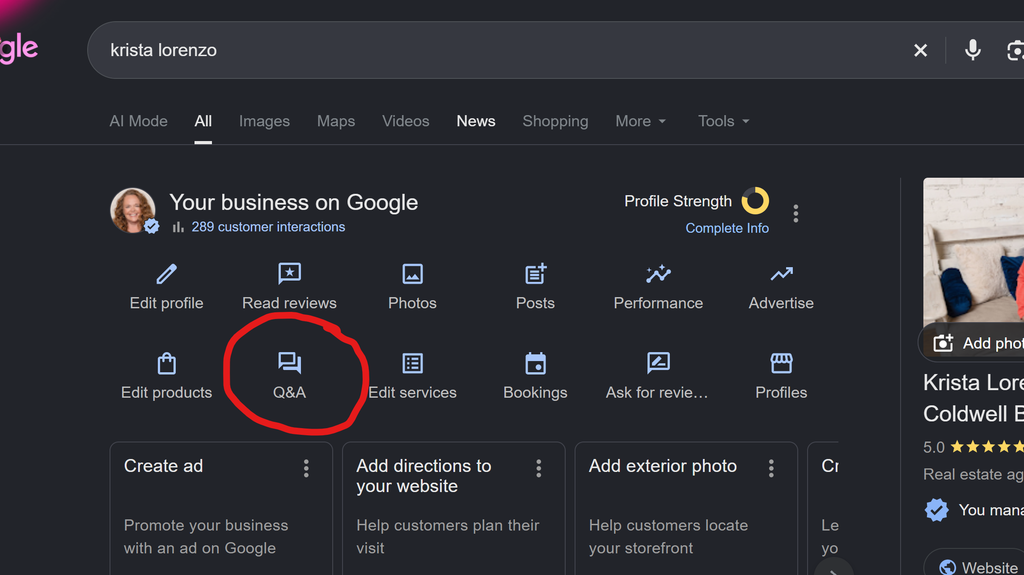
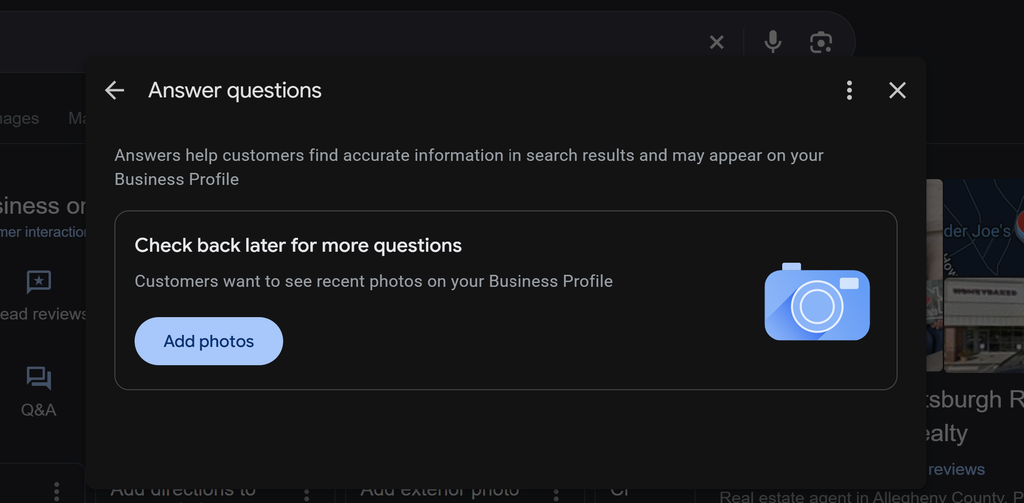
Here are some screenshots of what it looks like. The Q and A tab in the Google Business Profile dashboard looks the same as it did before, but when you click on it, the experience is different.
With the old Q and A section, consumers or the business owner could ask a question, and then the owner could answer that question, and then all those questions and answers would sit there as an FAQ bank for consumers.
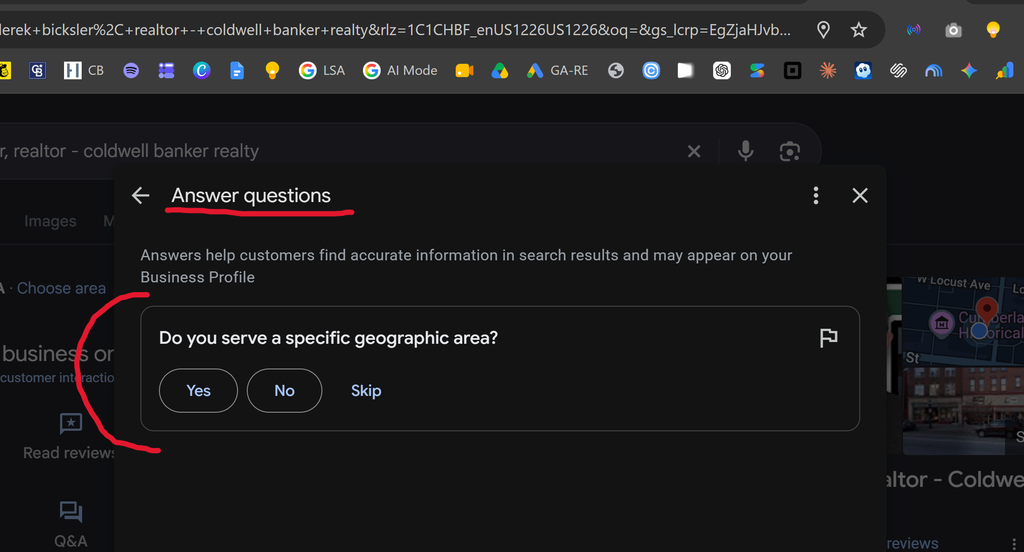
But now, when you click the Q and A button, it asks you questions that it decided it wants you to answer (based on data they have or don’t have), and they are different for everyone (could be some the same, but they don’t ask every business the same exact questions that I’ve seen).
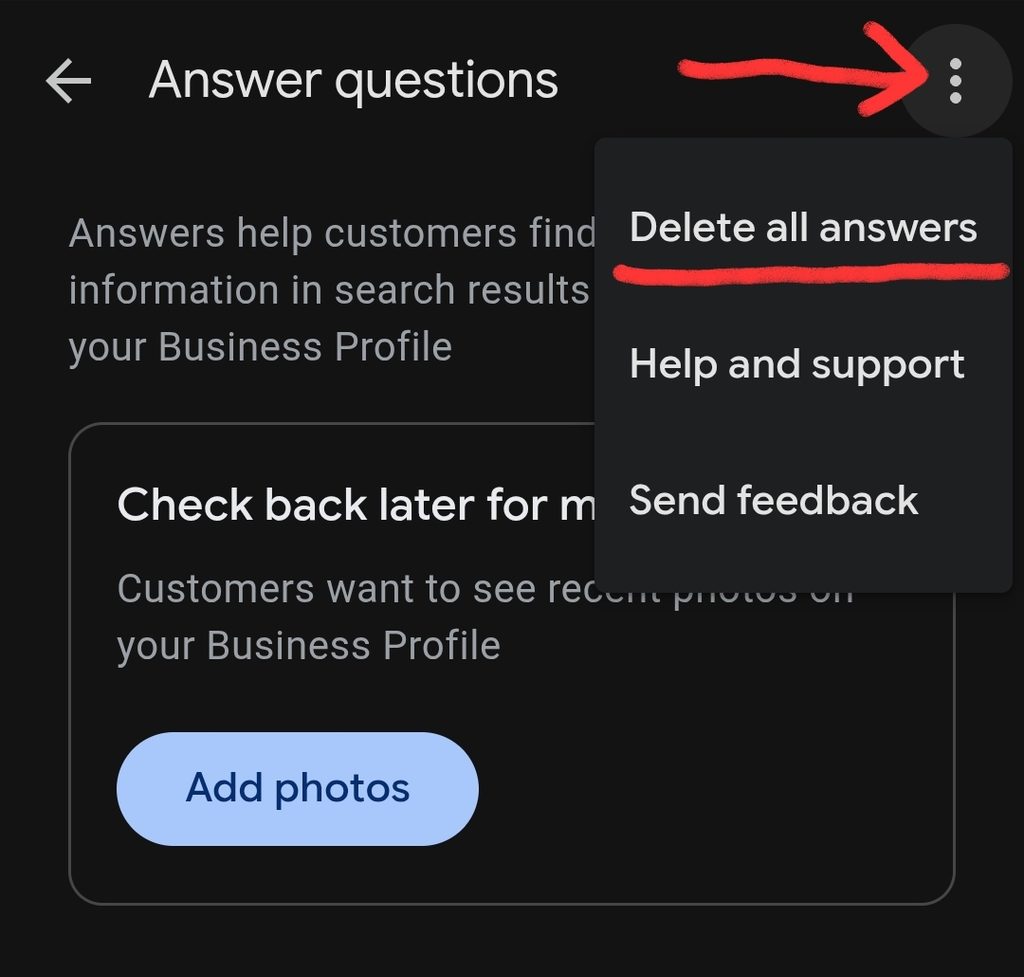
You can answer yes, no, or skip, but does not give any area to type anything or add anything. After you answer the questions, you cannot view your questions and answers anywhere that I’ve found yet. So you cannot see them or edit them. You can, however, click the three dots and “Delete All Answers”.
Then, when you’re done answering all the questions it has for you (only 1 to maybe 3 or 4 at most that I’ve seen so far), it will prompt you to add more photos to your photos section. See this article on best practices for Photos section.
Why It Matters
We want to make sure Google and searchers have the correct information about us (especially in cases like “Do you provide rental services?”). Google will use this information to better match searchers to the perfect real estate agent for them. More and more, search results are increasingly customized for the searcher, so we need to make sure Google and AI know what we do. And if it is directly asking us, that means the answer matters to Google.
And giving Google the information it requests of you in a timely manner (and tending to suggested edits in your “Edit Profile” tab) is a good signal to Google rather than letting edits and questions sit unattended for long periods of time. We need to show Google that we’re on top of our business information and it’s as up-to-date and accurate as possible.
What You Should Do
I’m assuming more questions will come for our business our time, so it’s best to check back periodically.
Every week, along with all the other ongoing best practices for Google Business Profile, we now need to click that Q and A button in our dashboard and see if there are any new questions for us. And if so, answer them. Leaving questions Google has for you sit there unanswered is not a good signal to Google, and it leaves you vulnerable to showing up for things you don’t want to show up for, or even worse, not showing up for the things you want to be known for.
Get help with your Local SEO…